Print Sharpness

It’s difficult to discuss sharpness without making some assumptions. The photograph itself has to be sharp. That means a good camera and lens, correct focus, steady platform, etc. This discussion assumes that you start with a sharp photograph. And then you print.

As an example, let’s use the Sony A7 II, a 24MP (megapixel) camera, which has a frame of 6000 x 4000 pixels.

Commercial printing (e.g. magazines) is done at 240 dpi. Fine art printing is done at 300 dpi. (Most people can’t see much more than 300 dpi.) At 240 dpi the Sony 24MP camera generates a physical print 25 x 16.7 inches. At 300 dpi the print is 20 x 13.3 inches. (length in pixels ÷ dpi). When you consider viewing distance, however, the further you get away from a photograph, the less dpi you need to create the same illusion of sharpness.

The distance/sharpness is difficult to calculate due to so many variables. But the chart at this website gives you something to go by:

http://resources.printhandbook.com/pages/viewing-distance-dpi.php.

It indicates that at a 24-inch viewing distance, you need 300 dpi to get the maximum sharpness. Yet at a 40-inch distance, you need only 180 dpi to get the maximum sharpness. Think of 24 inches as being about the distance you view a photography book or look at a computer monitor. Think of 40 inches as being about the typical distance you look at a photograph hanging on the wall in a museum, gallery, office, or home.

Using the 40-inch viewing distance, you can generate a 33.3 x 22.2 inch print of a 6000 x 4000 pixel photograph at 180 dpi, and it will look as sharp as can be. But if someone sticks their nose into it (gets closer than 40 inches), it will not look its maximum sharpness.

Another means of determining distance/sharpness is to calculate the maximum viewing distance according to the diagonal measurement of the printed photograph. Some experts say the viewing distance should be 2x, some 1.5x, and some 1x (of the diagonal).

Calculate the diagonal with the formula: c = √(a2 + b2) where a and b are the frame dimensions and c is the frame diagonal. Thus, for a 20 x 13.3 inch print, the diagonal is 24 inches. At the conservative 1x, the viewing distance is 24 inches for maximum sharpness (300 dpi). At 1.5x, the viewing distance is 36 inches. And at 2x the viewing distance is 48 inches. Thus, for these last two distances, you would need only a dpi well under 300 to provide maximum sharpness for viewers.

It’s all very subjective. But one thing is certain. The first consideration of sharpness is how the viewer will see the print. And distance matters.

The next consideration is whether you can improve the sharping because it’s a digital photograph and not a film photograph? For many digital photographs the answer is a modest yes. For some photographs the answer is an absolute yes. Sharping digital photographs is beyond the scope of this article and is also subjective. But you may be able to enlarge a photograph 10%, 20%, or 30% and still retain its inherent sharpness by applying sharping in postprocessing. (However, you can’t take an unsharp photograph and make it sharp with postprocessing.) In other words, just by sharping in postprocessing, you may be able to enlarge a photograph a little without the loss of sharpness.

Another consideration is general enlarging. How much can you enlarge a photograph without noticeably losing sharpness? One of the original guidelines was that you could enlarge about 30% by doing 10% at a time, without noticeably losing sharpness. Today the algorithms are better, but the experts’ opinions are subjective. Some say 50% enlargement. Some as high as 400%. But this is something that depends on the characteristics of the photograph, your enlarging experimentation, and the software you use. You might want to do your experimenting with a small portion of your photograph first before committing to printing the whole enlargement.

You will want to remember that enlarging 2x does not double the frame dimensions. It doubles the area of the photograph. If you double the frame dimensions, you enlarge the area 4x.

Finally, consider the medium. Metal prints can be printed at 300 dpi, although 240 dpi is a typical default for metal printing services. The dpi of inkjet printers is virtually impossible to calculate without a lot of specifications you probably can’t easily get. The dpi for inkjet and laser printers is based on advertising, not on the traditional printing dpi. In other words, a 1200-dpi inkjet printer may print only at 280 dpi according to traditional printing specifications. If you buy a printer, you may want to ascertain the actual traditional print specification first, if available. Likewise, if a photographic service provider uses an ink et printer, you will want to likewise ascertain the actual traditional print specifications.

A word of warning. You can order a 12000 x 8000 print of your 6000 x 4000 pixel photograph, and no one at a photographic service will give it a second thought. They will simply automatically enlarge it 4x as part of their processing. Although they usually have good enlarging software, it raises the question of whether you would rather enlarge it yourself knowing that your photograph will otherwise be automatically enlarged. In other words, just because you can order something, doesn’t mean that it will retain its sharpness to the degree you require for your viewers. You may want to have more control.

What’s my practice? I don’t enlarge anything and don’t worry about sharpness. With my 25 MP camera, this is a practical point of view. Nonetheless, there are always those situations where I need a large print, and enlargement is required. In such cases (rare for me because I print few photographs), I decide how to enlarge based on the factors outlined in this article; that is, I handle each photograph on a custom basis. But if you find yourself enlarging your photographs all the time, you may want to get a camera with more MPs thus enabling you to forgo enlarging so much of the time. The new Sony A7R IV has 61 MPs (35mm type camera) with a 9504 x 6336 pixel frame, and its brand competitors are comparable.

Finally, if you typically crop much of a digital photograph away, you may have a need to enlarge what you have left. In that case, a camera with plenty of MPs is doubly useful to your photography efforts.

Creating a Digital Signature

_N5A0557Bsm
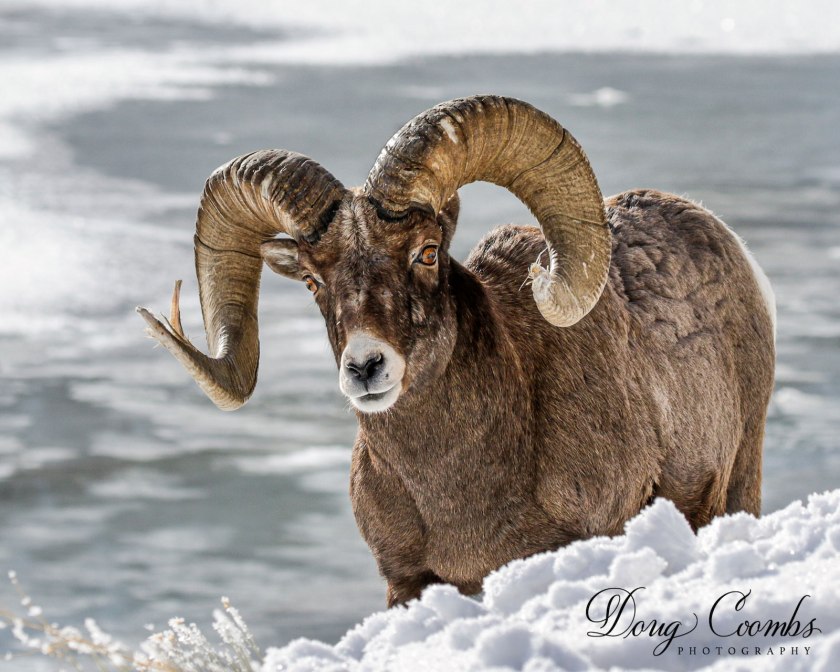
Big Horn Ram in Yellowstone National Park, © Doug Coombs

The February 12 meeting of the Pagosa Springs Photography Club will be held at 6 p.m., at The Community United Methodist Church, 434 Lewis Street. Our speaker will be Doug Coombs, on Creating a signature for digital artwork.  

Join us for socializing at 6 p.m., followed by a brief business meeting and presentation at 6:30 p.m. Club members are encouraged to bring up to five photos on a thumb drive to share with the group after the presentation, if time permits.

Doug will show how to create a signature for your digitally produced photographs and artwork using Photoshop. Such a signature can be stored as a .png image to be used from any post processing tool including Lightroom and Photoshop. He will discuss downloading and adding additional fonts to Photoshop, concepts related to font customization, and will demonstrate in real-time creation of a signature and how to use it in Lightroom and Photoshop.

Doug is the chair and co-founder of the Los Alamos Adobe Users Group in New Mexico and a former chair of the Los Alamos Photography Club. He has been doing photography since high school, worked as a photographer and dark room tech in college, and fell in love with digital photography in 2003. Doug is primarily a landscape and nature photographer, with an affinity for birds and wildlife. He splits his time between Los Alamos, Pagosa Springs, and a generous amount of travel to various photogenic destinations.

The Pagosa Springs Photography Club promotes educational, social and fun interactions between all who enjoy making and viewing great photography.  The club sponsors educational programs and outings to help photographers hone their skills. Membership is just $25/calendar year for individuals and $35 for families. Non-members are invited to attend a meeting to learn more about the club. For membership information visit our website at https://pagosaspringsphotoclub.org/about/ .

January topic: Ten Images

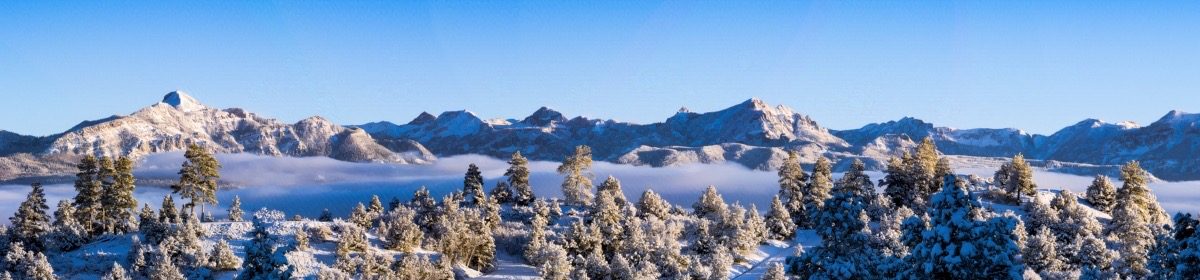
Pagosa Peak, from Ice Cave Ridge
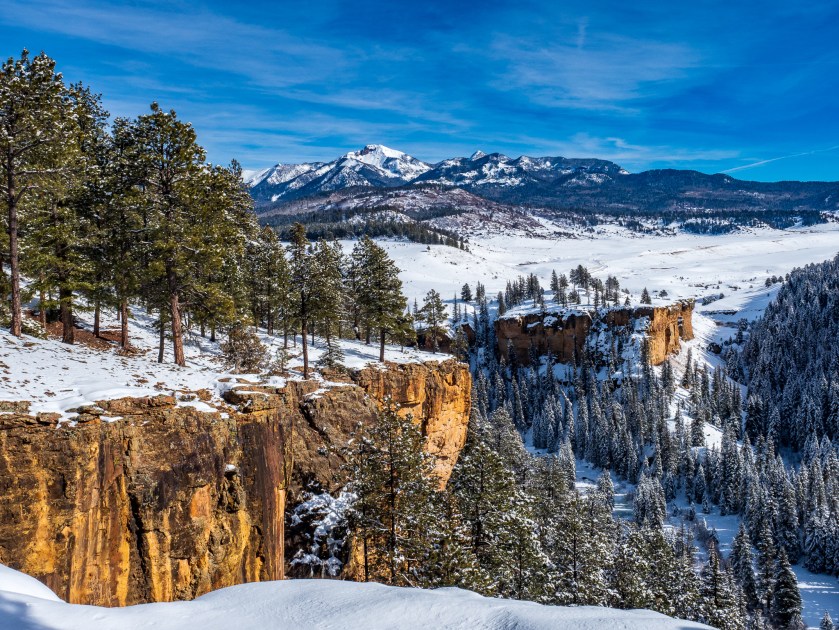
A winter view from Ice Cave Ridge

The first meeting of the Pagosa Springs Photography Club for 2020 will be held on Wednesday, January 8, 6 pm, at the Community United Methodist Church at 434 Lewis Street. 

A major emphasis of the Club is to improve our photographic skills through learning from one another. In that vein, our January program will be Ten Images: Show and Tell. Members are requested to bring ten of your photographs from 2019 for discussion. These might be what you consider your best, your most interesting, or your most challenging photos of the year. Tell the group about each image, the situation when you took the photograph and what you like or might improve. The goal is to inspire Club members through a discussion of what makes good images, including aspects such as composition, impact, and technical quality.  This will be a more extensive discussion than what we typically have during our image share sessions (which we won’t do this month). 

As an introduction to the discussion, we will re-visit a 10 minute video presentation on the “f-5.3” method of critiquing images (Gregg Heid presented this method to the Club a couple of years ago). The video will give us a good starting point for thinking about what makes great images.

Club members area also invited to our first Photo Talk and Coffee breakfast of the New Year, at Dorothy’s Cafe, on January 23 at 9 AM. These breakfasts are a great way to have an informal chat with other club members about photographic topics (or other topics of interest). 

The Photography Club’s membership year begins in January. For those of you have not yet paid your dues for 2020, you may do so at Club meetings. Dues will remain at $25 this year ($35 family). The membership form may be downloaded and mailed in with your payment (instructions on the form) if that is more convenient.

Color in the Landscape, November 13

Courthouse Mountain and Cimarron Aspens
Courthouse Mountain Sunset, © Andy Butler

The Pagosa Springs Photography Club will meet on Wednesday, November 13, 6 pm, at the Community United Methodist Church at 434 Lewis Street. 

Our topic this month will be “Color in Landscape Photography”. We will watch and discuss a video Landscape Color Variation and Combinations by National Geographic photographer Michael Melford. Melford will present several concepts for ways in which color variations can be used in your photographic compositions. Those attending are asked to bring your ideas, and questions, on using color in your photographic compositions. 

Members may bring up to 10 digital images on a flash drive to share and discuss following the program.  Given our topic, perhaps think of “colorful” images. 

This will be our last monthly meeting of the year; the club will resume programs in January. Also, because of the Thanksgiving holiday, we will not have a Photo Talk and Coffee this month. However, we do plan to have one on Dec 5 at the usual place (Dorothy’s Cafe) and time (9 am). 

Winners of 2019 Digital Photography Contest Announced

The Pagosa Springs Photography Club held it’s 2nd annual Digital Photography Contest recently. Eighteen club members entered this year’s contest.  Images were entered in four categories: Landscape, Nature, Creative, and People. Winners were selected by two professional photographers, and the winning images were announced at an Awards Gala on October 9, held at the Elk Park Meadows Lodge. During the evening, members had a chance to view all the images entered in the contest. The top images in each category are shown below. Click on the thumbnails to see a larger version of each image.

In the Landscape category, first place went to Chris Roebuck, for Climb Higher. Andy Butler received Second Place for Deadhorse Dawn, and Third Place was awarded to Bill Milner for Grand Canyon. Pagosa Fall, by Fred Guthrie, received Honorable Mention.

Winner in the Nature category was Dave Anderson, for Sunflower. Chris Roebuck received second for his image Bighorn, and Bill Milner was awarded Third for Rock Wall. Three images were awarded Honorable Mention: Lunch, by Dave Anderson, The Look, by Andy Butler and Pagosa Flower, by Fred Guthrie.

In the category for Creative images, Bill Milner received First Place for his image Rodeo Paint. The Second Place image was Aspen Haze, by Andy Butler and Third was awarded to Bill Milner for Thousand Island Paint. Three images tied for Honorable Mention: Pagosa Fly by Fred Guthrie, Turquoise Crack, by Liz Mockbee and Twilight Ice, by Dave Anderson.

Bill Milner’s image Funny Mbazi was winner in the People class. Second prize was awarded to Liz Mockbee for Slot Canyon Explorer, and Third went to Chris Roebuck for Magic of Fire-Controlled Burn. Bill Milner also received Honorable Mention for his portrait Lachu Maya Rai.

Congratulations to the all the winners! Thanks to everyone who entered the contest, the contest committee, judges and everyone who helped make our 2019 Digital Photo Contest a success!

Tips for Naming Fine Art Photos

by Joseph T Sinclair

by Joseph T. Sinclair

Vrille Naturel
Vrille Naturel ©Joseph T. Sinclair

Names Matter

In the best of all possible worlds, a fine art photo shouldn’t have a name. The art should speak for itself. When you add a name, however, the words become part of the work of art, like it or not. And words are powerful. Unfortunately, in Western civilization there is unwritten pressure to name works of art. Rembrandt Kunstwerk 112 is not very satisfying. Consequently, you do need to create a name and understand that the name itself becomes part of your photographic art.

Yet most career photographers need to sell their fine art. And marketing is a different matter than art. Most photographers need a marketing element in the names for their photos. Thus, a thoughtful combination of poetry and ad copy is a good way to think of naming photos. If you’re serious about your art and about selling it, naming it is not a trivial task.

Don’t Fall in Love with It

Don’t fall in love with a name. Pick a name that fits the theme of the show you want to enter. As a consequence, a photo may end up with more than one name (i.e., entered in more than one show). This is extra work, but it’s more work to find a good photo that matches a show theme.

Translate It

If you can’t think of a good name, pick a pedestrian name. Then translate it into French on Google. No one will understand it, yet it will add a touch of elegance to your photo. Or use Spanish, Italian, Romanian, or Portuguese. But no other languages, please. I named one of my photos Vrille Naturel (French) and was happy to do so. Sounds kind of cool, but I can’t remember what it means. It would be přírodní kontury in Czech, not quite so engaging.

Make It Long

Make it a long name. If properly imagined, it can add a lot to your photo. But capitalize the first letter of each word. Otherwise it might be read as a caption, not as a name. Example: Candle-Lit Impressionist Color Portraiture Study of a Mother on a Theme by Sandro Botticelli. Otherwise you might have to name it Madonna confusing it with the Rabelaisian pop star.

Steal It

If you run across good names in photo shows or in publications, write them down for future use. No one can copyright art titles. But don’t steal from photographers in your own geographic area or in your own photo organizations. Bad manners. And don’t steal famous names (e.g., Moonrise, Hernandez, New Mexico). Fatuous. You can steal book titles and song titles too (neither are copyrightable).

Photographers steal images; how many times is the image of the sun’s rays streaming down through the haze into Antelope Canyon taken each day by different professional photographers? Answer: about eight dozen. That’s about 35,000 professional photographers a year who shoot in Antelope Canyon.  So, why not steal names too?

BTW, if you’re looking for a name for your Antelope Canyon photo, try this one: About Noonish in Mr. Slot Canyon. That’s a good one, and you can steal it from me.

A Gift from the Literary World

Advertisers use sex to sell. Why not photographers? Check out Writers in the Storm, a blog for novelists. It provides a huge list of common words in its Sensual Word Menu that may suggest sex:

https://writersinthestorm.wordpress.com/2011/06/10/sensual-word-menu-2/

You can use most of them in your photo names with complete innocence and without seeming indecent. Example: Sultry Sunset Afterglow on the Bosom of the  Mountain. Buyers will line up at the door.

Less Can Be More

There is one naming strategy for fine art portraits. Use only a first name such as Isabelle or Jacob. Such names convey an ambiance of mystery. Who the hell is Isabelle? Who the hell is Jacob? It’s not quite the same ambiance for Isabelle Smith or Jacob Jones. Let the viewer’s imagination run loose. Let the image itself do the speaking. Use only a first name alone. Keep in mind also that for fine art, the name of the portrait doesn’t have to be same as the name of the subject (model). In other words, use an evocative first name that fits the portrait.

Number It

This highly advanced promotional technique is appropriate only for the most aggressive photo marketers. A photo named Study of the Desert Sublime Number 17, if a compelling image, will leave the viewers thirsty for photos 1-16 (or more). It’s irrelevant whether numbers 1-16 exist or not. If such photos exist, they will have the attention of your viewers and may lead to interest in your other photos too. If photos 1-16 don’t exist, you simply represent 1-16 as being unpublished, and refer viewers to your other photos.

Streets

Developers and municipalities name streets after states (Idaho Avenue), places (Park Place), English counties (Devonshire Drive), famous people (Ted Kaczynski Boulevard), and animals (Raccoon Court). This is not a good precedent for naming photos. Leave it alone.